Custom E-Alerts for Mobile CRM 11-30-16
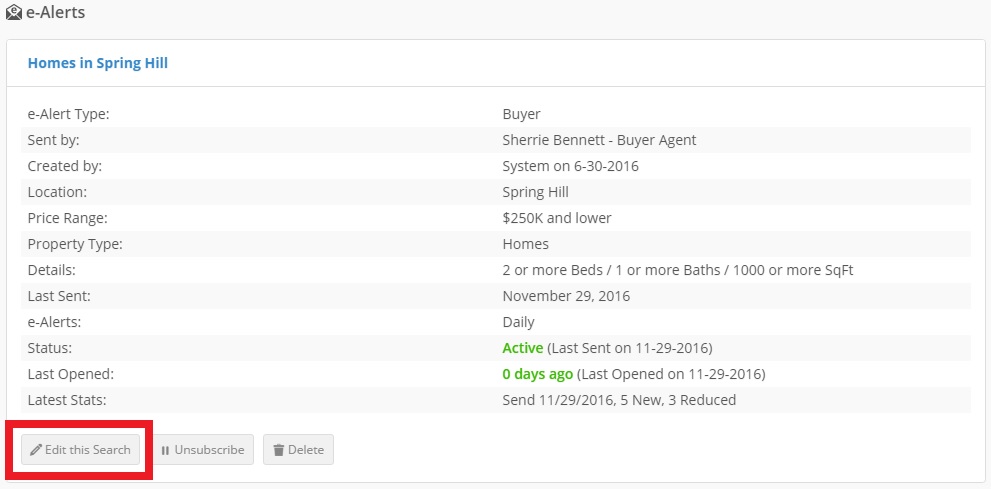
E-Alerts are a great way to keep leads coming back to your site. Sometimes, you speak to a client on the go, and they want to make adjustments to their e-Alerts. It’s important for you to get those adjustments made ASAP. This is why we’ve added the ability to edit a lead’s e-Alert on the Mobile version of our CRM. You can edit these e-Alerts on your smartphone or tablet device, now.
Combine Location Options

Another important change in this update is the ability to combine different location settings into one E-alert. Excluding the map search; agents can now create an e-alert that pulls from multiple location tabs. For example an agent can select the city of “Awendaw” from the cities tab and combine this with zip code 29405.
#ProTips
- Customize all e-alerts for your leads, and consider properties they may be interested in but have not previously viewed.
- Monitor the # of properties in the search. If you make your criteria strict you may potentially prevent the e-alert from sending due to a lack of properties.
- Subject Lines: Be simple, to the point, and test different strategies. Subject lines have a huge impact on email open rates.