Lead Profile Address Updates 3/22/16
We’ve taken a very important step in making BoomTown a complete CRM for current and past clients. On 3/22/16 our team updated lead central profiles to make it easier for you to add a lead’s home address, and easily access information about that property.
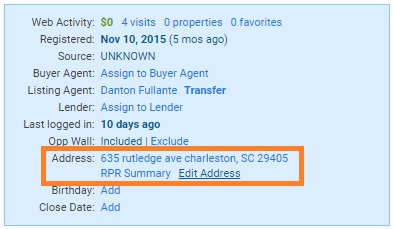
Any lead that owns a home is a potential listing opportunity, and that’s why we’ve made it easier to…
- Update and view a leads address in the profile by moving this field to the “blue box”
- Locate the lead: Click an address and it will appear on google maps.
- Research the property details utilizing our integration with RPR. What’s RPR?
Get Started!
- Update all of your Closed category or Past client tagged leads in Lead central
- Pro tip: The address field is not available in import/export .csv’s.
- Create an advanced filter:
- Lead Activity > Last Month.
- Select Closed/Past Client category & tags.
- Has it been awhile since they closed? Click into their RPR summary, and generate a branded valuation report of their home & neighborhood. Email or print, and mail to the lead to let them know you’re staying in touch with them and the market.