Related Leads Feature 6-1-2016
Working with two leads at the same time? Now you can simply link their accounts, and keep track of related leads. This is great for couples, people shopping with their parents, business partners, and more.
Related Accounts
In order to link two lead profiles together just follow these easy steps…
In the blue lead profile information box click the “Add” link next to Related Account
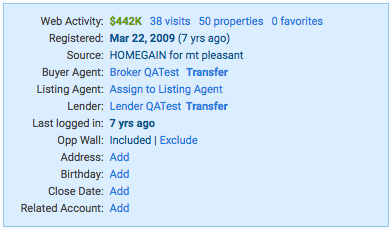
This will pull up the Related Account Search Tool.
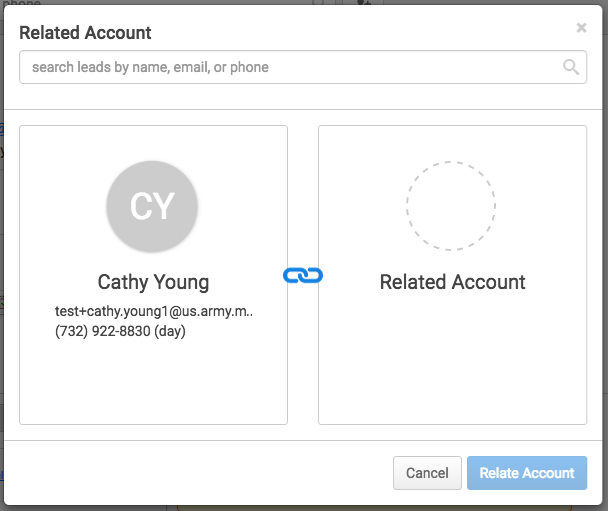
Search for the lead profile you would like to link with the profile you are currently on.
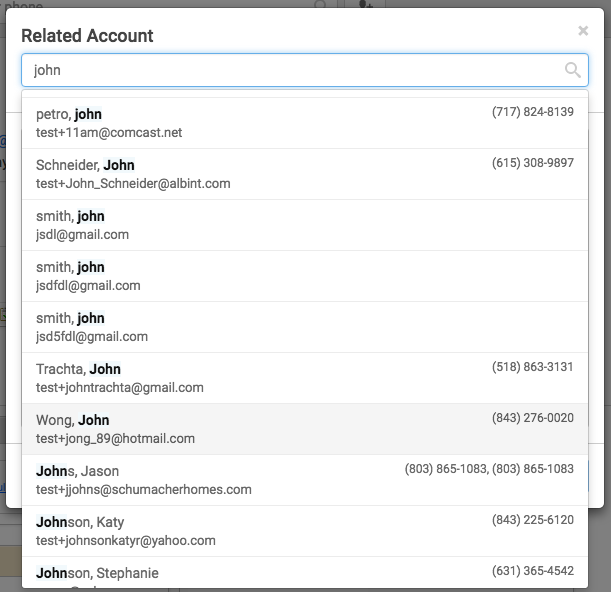
Select the lead profile you would like to link, and confirm it shows up on the screen.
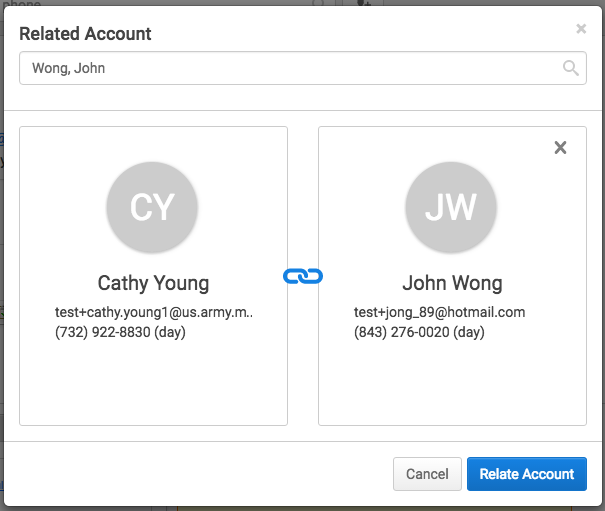
Click “Relate Account” and you’re done! This lead profile will now show up as a link in the blue box field of both lead profiles as being related.
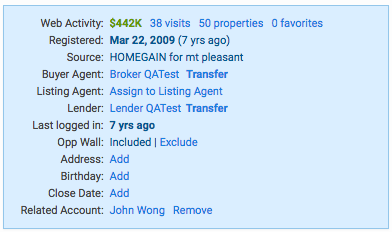
Notes: In order for the newly added profile link to be clickable the agent must own both of the leads. If each lead is assigned to different agents, permissions will override the related account. Linking a lead account does not combine their profiles or passwords. Their activity will still be tracked individually, but you will now have an easier way to keep track of related accounts. Only 2 leads can be linked at a time.
#ProTips!
Go into your “Hot” category leads, and start linking profiles!